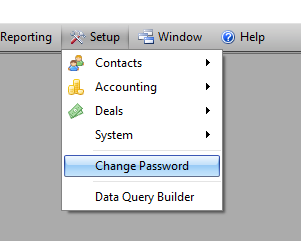
- Click on the Set up Menu from the Top Drop down Menu.
- Choose Change Password
- Type in Old Password in the Old Password Field
- Type in New Password in the New Password Field
- Type in New Password in the Confirm New Password Field
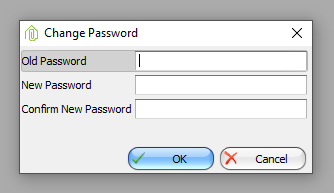
- Click Ok
Enviromint Support -
Comments