If an Agent or Agent Administrator Enters a Deal it will be sitting in your unprocessed deals list.
- Open your Unprocessed Deal Sheets from the Quick Reports on your home page (far right side)
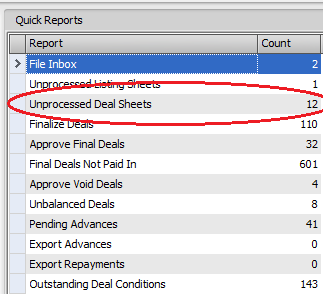
- Open the deal by double clicking it.
- Click Actions -->Create Deal
- Or click on the Actions button next to the Address --> Create Deal
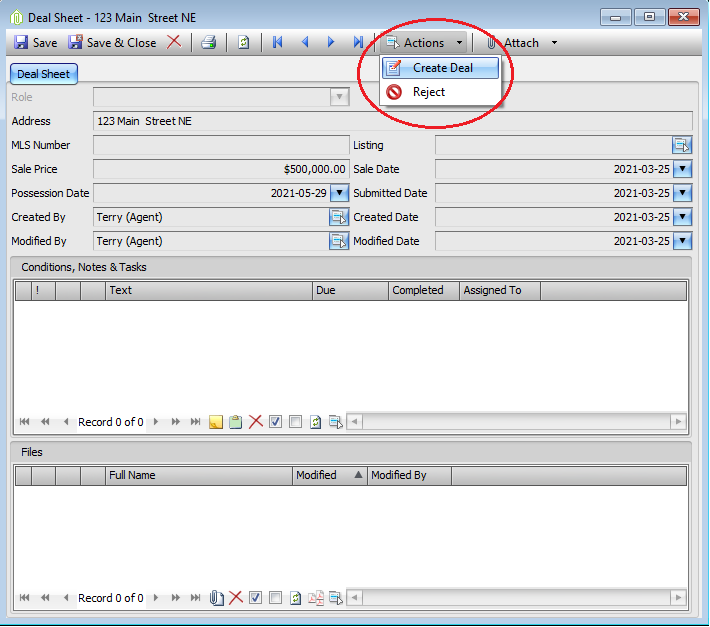
-
- Process all (top right) this will automatically input what the agent has inputted.
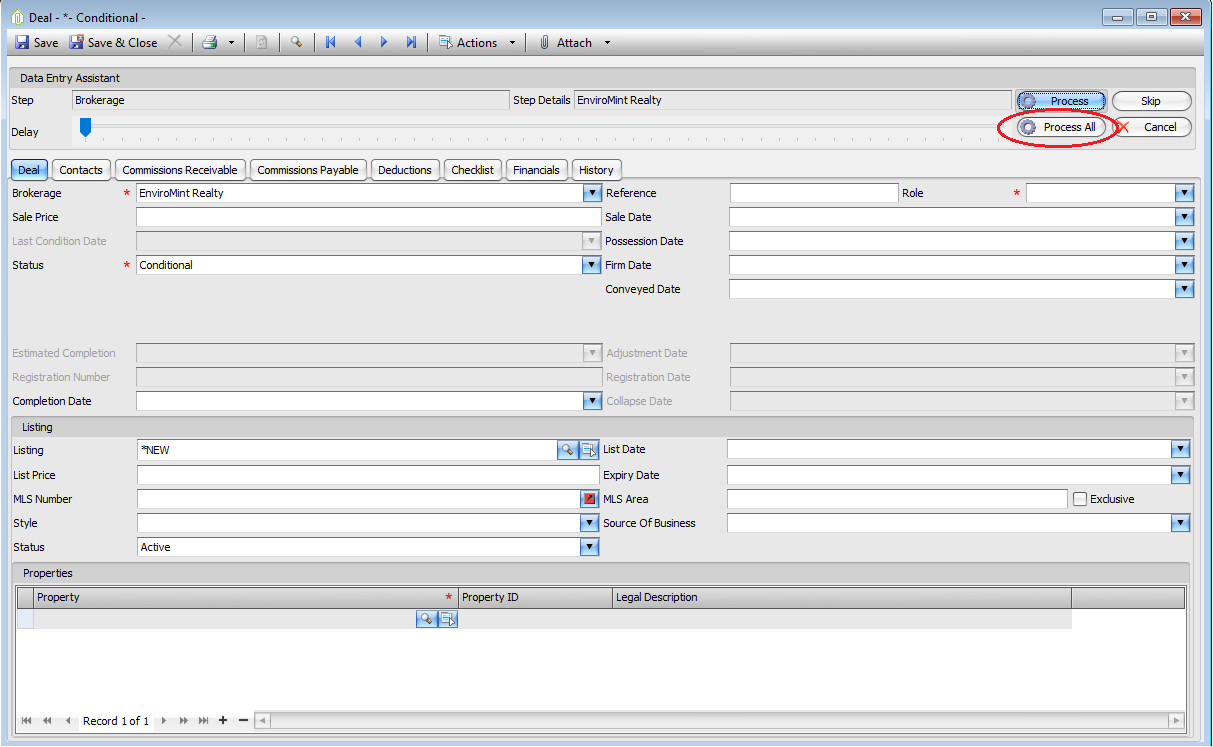
-
- If anything is missing/entered incorrectly or Names have not been entered into system, it will stop and prompt you, keep clicking process all after every time it stops & names/contacts/changes are made.
- Once everything is entered at the end it will ask if you the most important question - would like to remove the Deal Sheet from the list. Click YES. If you click no, you will have to go back and manually delete it from the list.
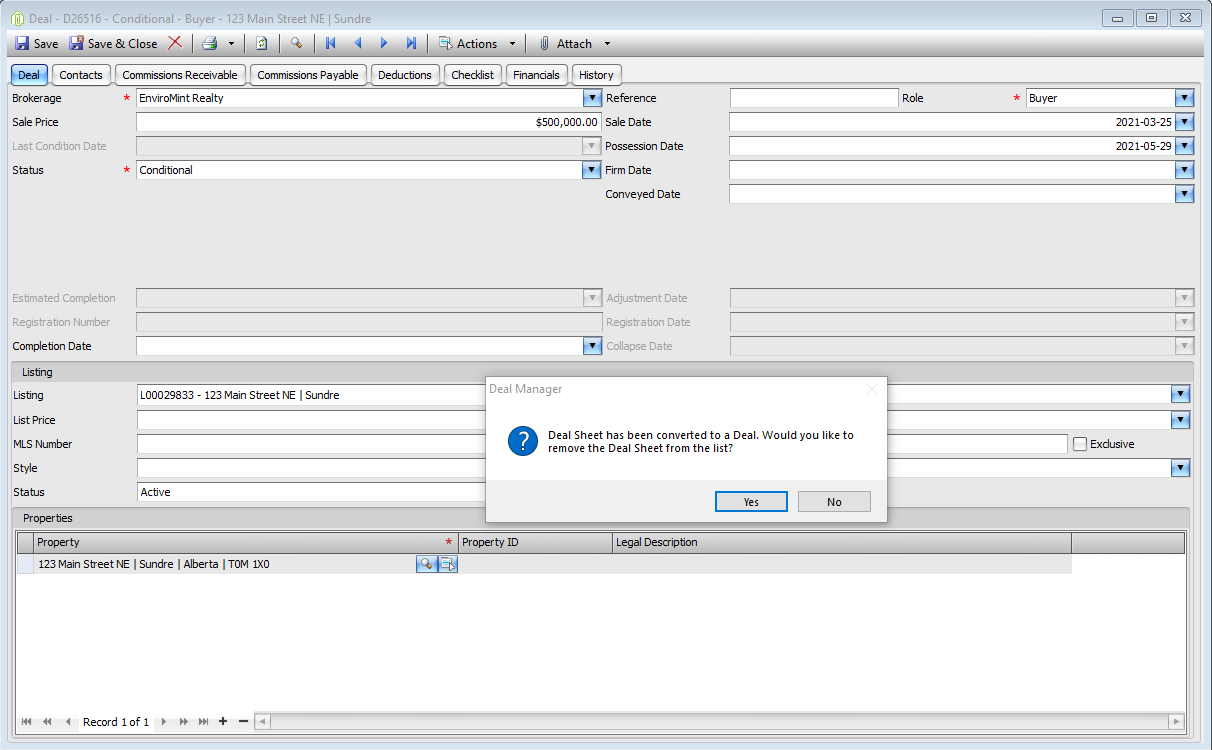
- Click on Checklist tab too see if any deposits need to be entered manually or any other notes etc. from agent.
- Add any checklists or note needed for Deal.
Comments