From the Deal Menu
Deals-->Find Deal
- Search for the deal from the information you have
- Open the deal
- Click on the Deal Tab and then click on the ( + ) button at the bottom of the property grid to add a line on the grid
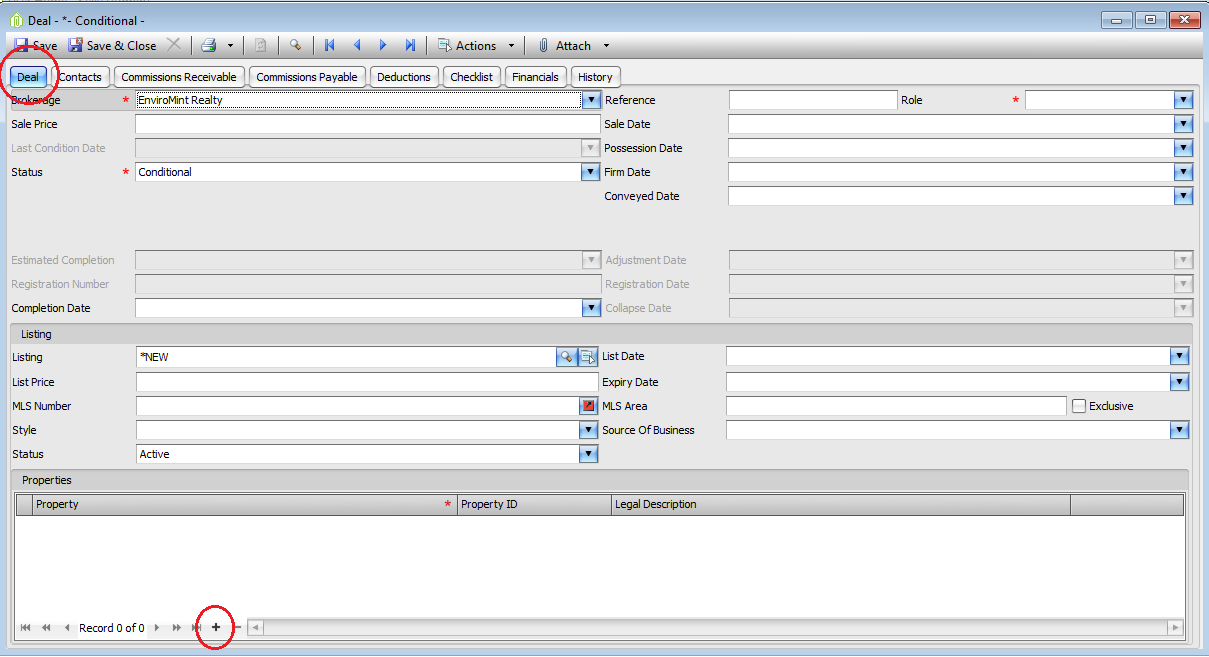
- In the property portion type in the address you wish to add

-
- If the Property is in the system it will fill in the property Line
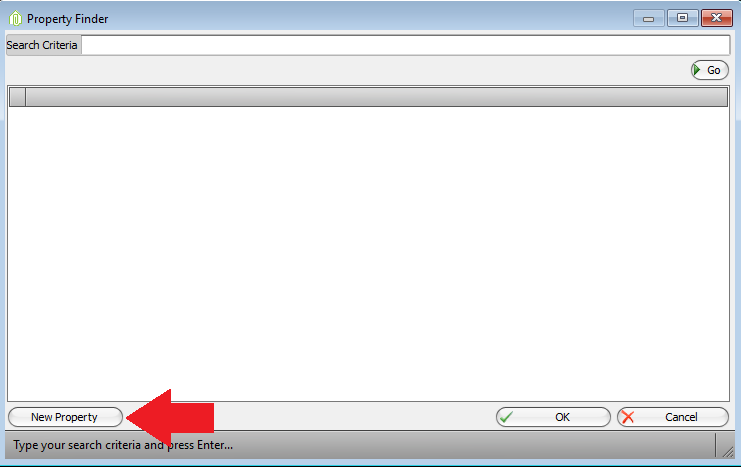
- If the Property is NOT in the system the Property finder will open and you must click NEW PROPERTY
- The Property Form will open
- Enter all the details available
- Click Save & Close the Property Form
- Save the Deal
Comments