When an agent become incorporated and you want to put the corporations name on the commission cheques
- Open the Contact of the agent that has been incorporated
- Go to the Accounting tab
- Then Choose the vendor tab on the accounting tab
- Open the Vendor Account
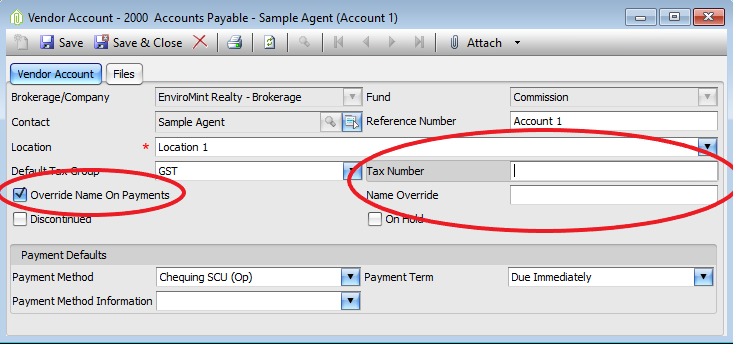
- Check Override name payments
- Once the Name Override & Tax Number is activated put the agents corporations info those 2 fields.
- Save & Close the Vendor account
The name on the Commission cheques should now be the corporation name.
Comments