From the Deal Menu
Deals --> Agent Deduction Transfer
When the transfer form opens up, fill in the required fields
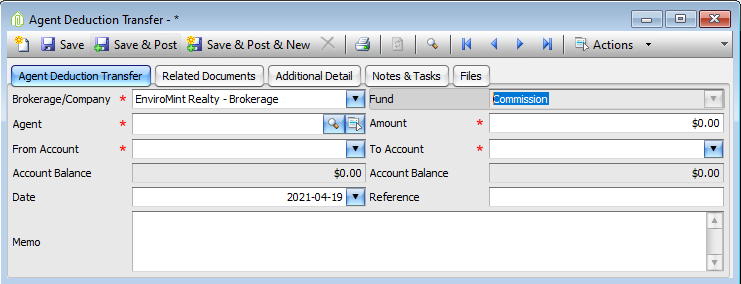
- Agent = the agent you would like to transfer money for
- Amount = the desired amount to transfer
- Choose the account the money is going to come from
- Choose the account that the money is to go in.
- Enter a reference (if applicable)
- Memo field can be used to describe why the transfer was done
- I.e. Agent requested to move money from their Income tax account to their RRSP
- Click Save & Post
- Or click Save & Post & New (if you have multiple transfers to do)
Comments