This refers to the scanning and attaching all yearly documentation that you would like to keep attached to an Agent’s Contact Profile.
Examples of Items that could be Scanned and Attached are as follows
- Yearly T4A
- Annual Billing Summary
- Year to Date Deal Summary
- Year to Date Revenue Summary
- Commission Deduction Changes
- Garnishee Forms
- Award applications or forms
- Any documentation that you would like to attached to the Agent’s Contact Profile
Adding Documents
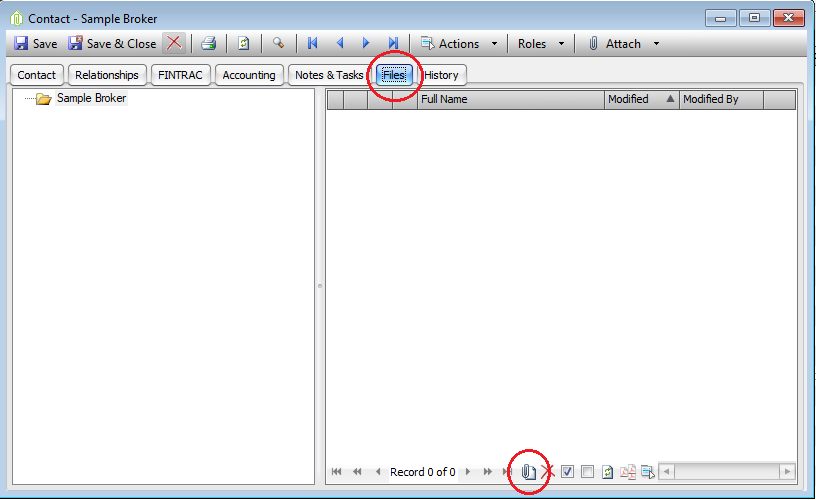
- Open the Agent’s Contact Form --> Files
- Scan Document to Hard drive of your computer
- Name it by simply type in the name of the document or use the default (the name of the file on your hard drive)
- Click attach file at the bottom OR drag and drop into the white open space
- Repeat for all Files/Documentation you would like to attach
Comments