Contact Finder – search for the Law Firm, if they are not in the system, select New Company
Contact tab:
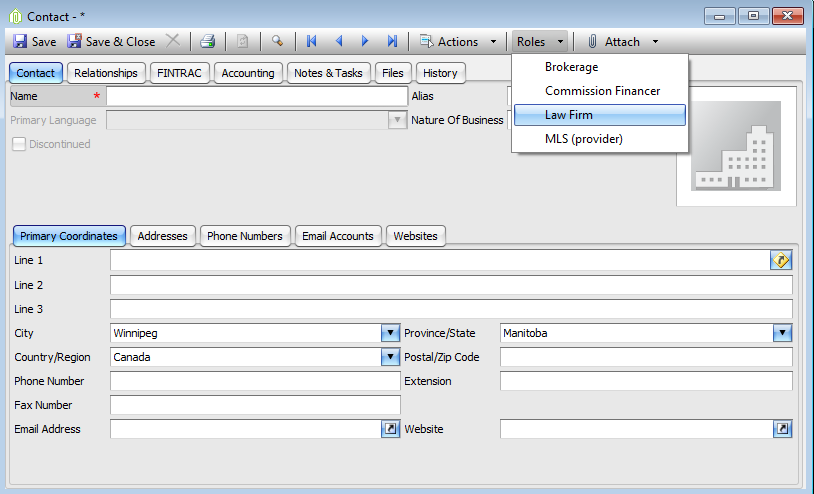
- Enter their contact information – name, address, and phone numbers (or verify if they are already in the system).
- Roles – select the Roles menu item, if Law Firm does not already have a check beside it, click on it
- Save
Relationships tab:
- Set the filter to Lawyers; click on the + at the bottom of the grid to add a new relationship.
- Enter the Lawyer that is associated with the Law Firm in the contact finder field.
- If there are more than one Lawyer associated with this Law Firm, keep adding lines by using the + button at the bottom of the grid and repeat the second step until all the lawyers for this firm has been added.
- Start date will default to the Current date.
- Save
Comments