This how to will help you create new statement dates for your Associate/Customer Statements
From the Setup menu
Accounting --> Customer Statements
- Click on the finder Icon and Search for your operating fund

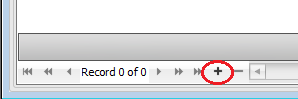
- Once the Fund is open in the form you can add new Statement Dates by clicking on the Plus Button (+) at the bottom of the grid
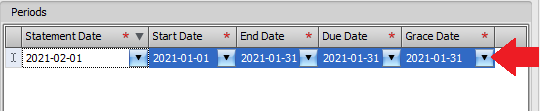
- Once the new line is added change the dates to the dates applicable to your brokerage
- Save Form
- Repeat Steps 2-4 for the next month or billing period.
- You can also add all billing periods and save the form once when you are finished adding all months or billing periods. It is not required that you save the form after every line added.
Comments