Click on Reporting --> Deals --> Monthly --> Commission Paid
You can run this report by agent by putting an Agent in the Agent Filter.
If you leave the Agent filter blank it will run for all agents
The Dates in the filter are defaulted
- Start Date = First of the current year
- End Date = End of the current year
- You may adjust the dates to get a desired date range
Each line on this report shows the date that the deal was processed, deal Reference #, address, listing style and the amount of commission paid
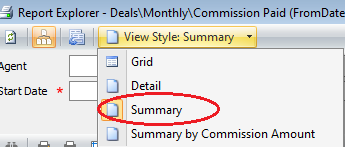
You can also run A Summary report which will give you the total commission paid in your date range without the deal detail behind it.
To get the Summary report change the view style at the top of the report to Summary
Comments