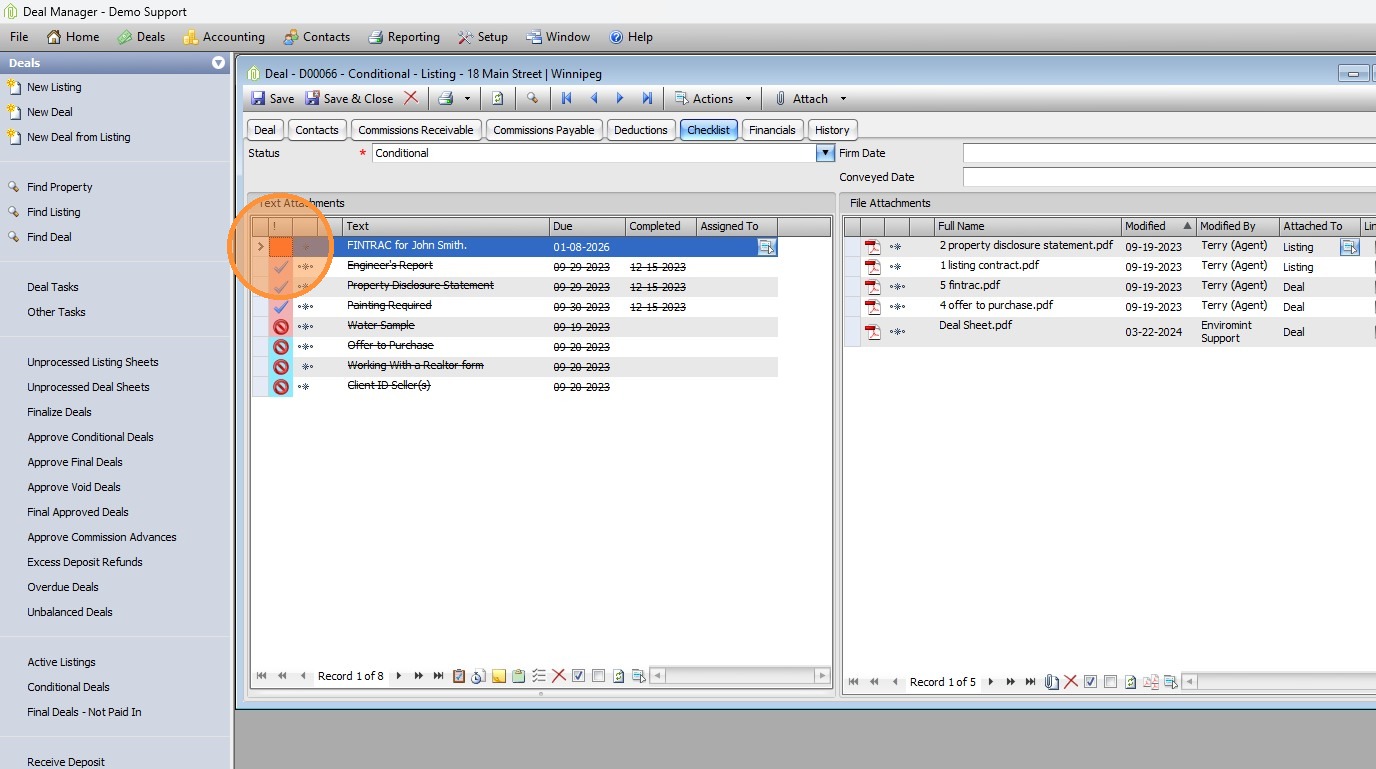
1. Open the Fintrac form from within the Deal on the Checklist Tab
Double-click the red icon

2. Client Identification

- Enter details from FINTRAC form:
- Occupation
- Date of Birth
- ID Source, Place of Issue, Number, Expiry Date
- Mark Identification Checked after entry.

3. Politically Exposed Person (PEP) / International Org Head
- Check Yes/No based on paperwork.
4. Terrorist & Money Laundering Lists

- Search client name in Terrorist List → Confirm No Results.
- Search client name in Money Laundering List → Confirm No Results.
- Mark both as checked.

5. Review Client History
- Open client contact → FINTRAC tab.
- Confirm 1:1 ratio between FINTRAC entries and deals.
- Note exceptions (e.g., Power of Attorney, Executors).
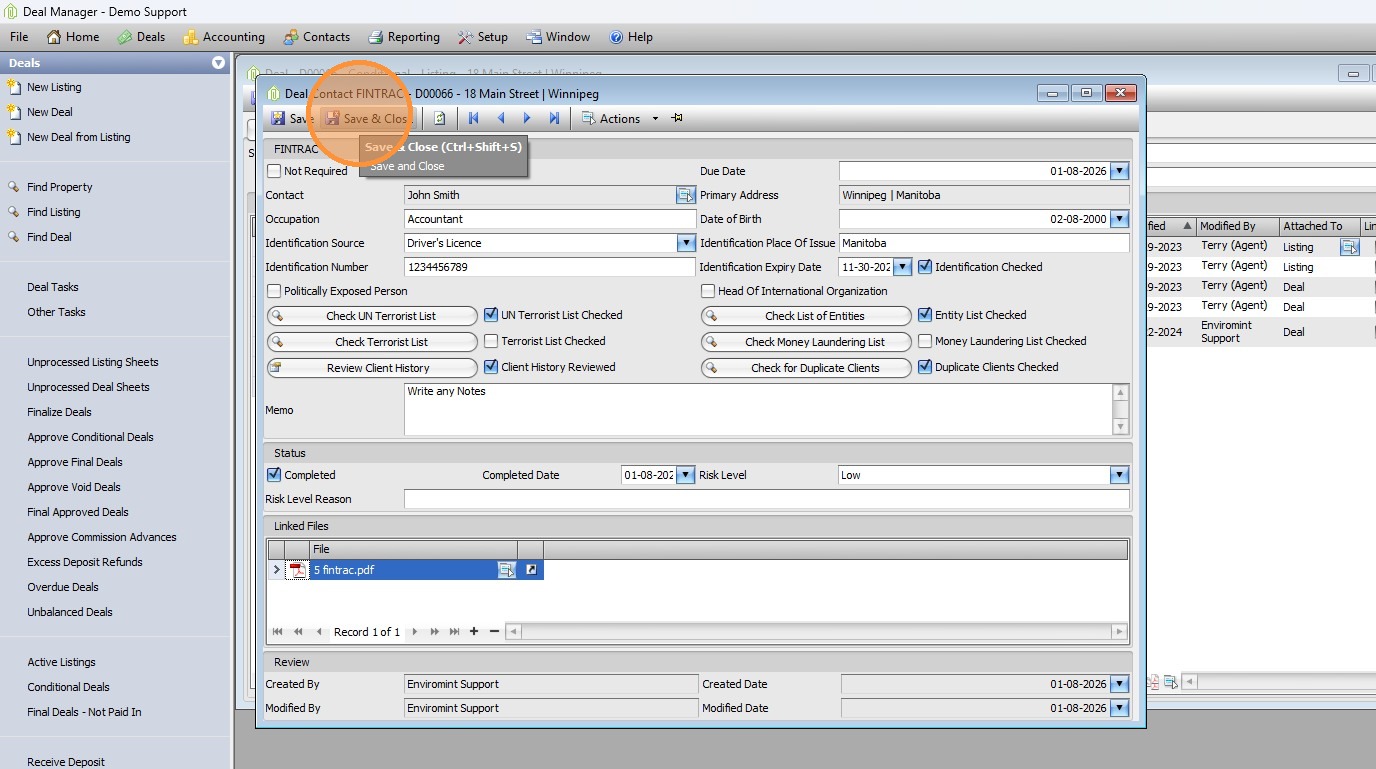
6. Memo & Risk Level
- Add memo if needed (e.g., executor details).
- Assign risk level:
- Low (no reason needed)
- Medium/High (provide justification)
Document Linking
- Attach FINTRAC document to client record.
7. Click "Save & Close"
Comments