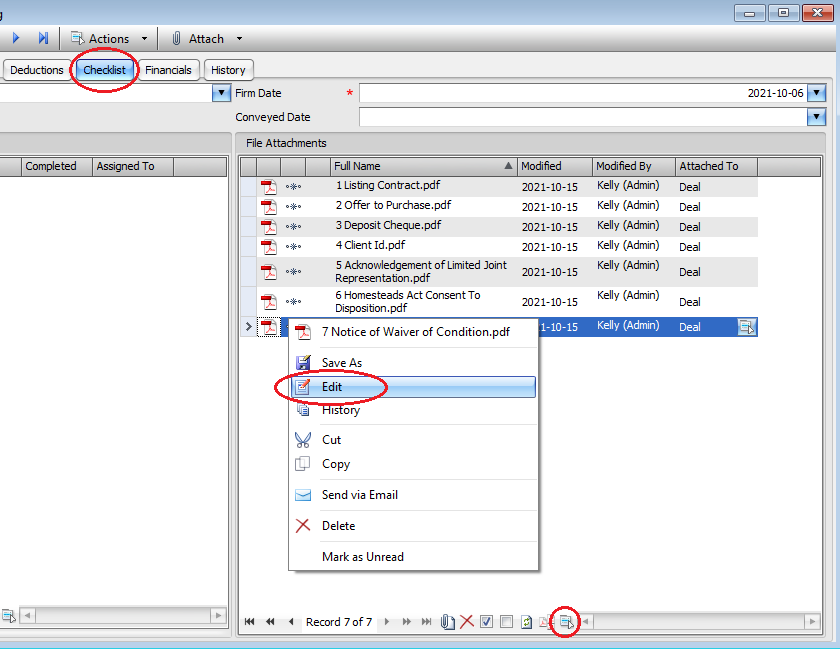
You will need to open the Deal and go to the Checklist Tab.
Click on the file attachment you wish to rename, then click the actions button at the bottom
OR you can right click on the file attachment
Then click Edit
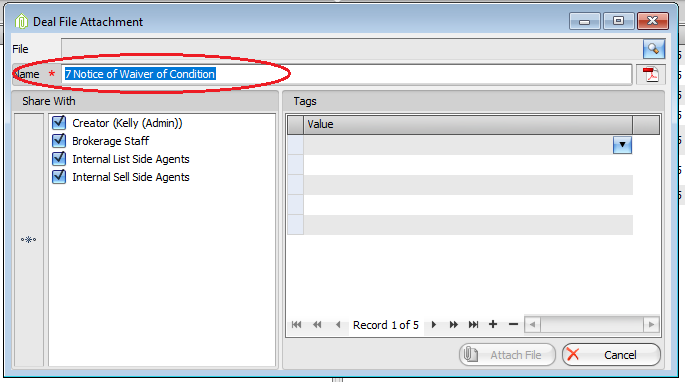
It will open a Deal File Attachment for you to rename the file or change the File View Permissions.
Then click Attach File once you have renamed or made any changes.
Comments