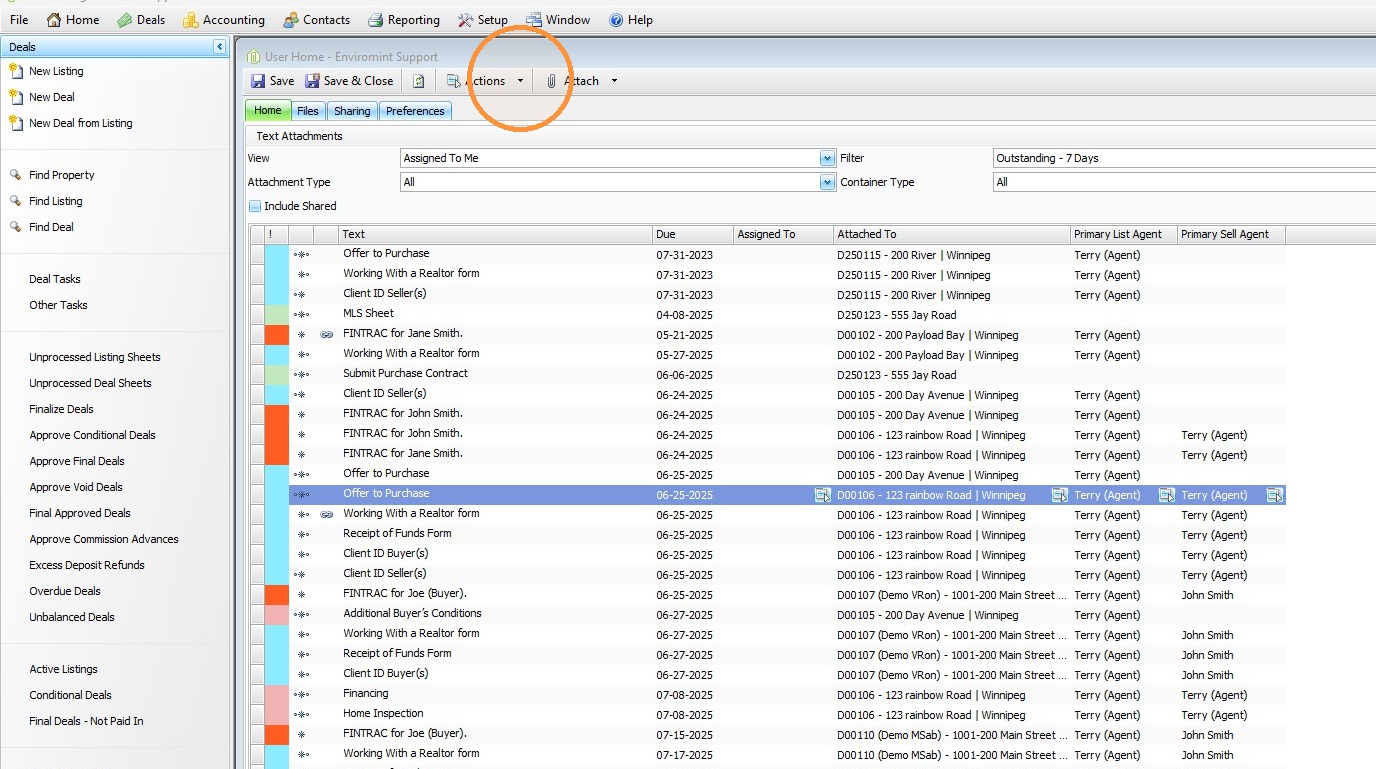
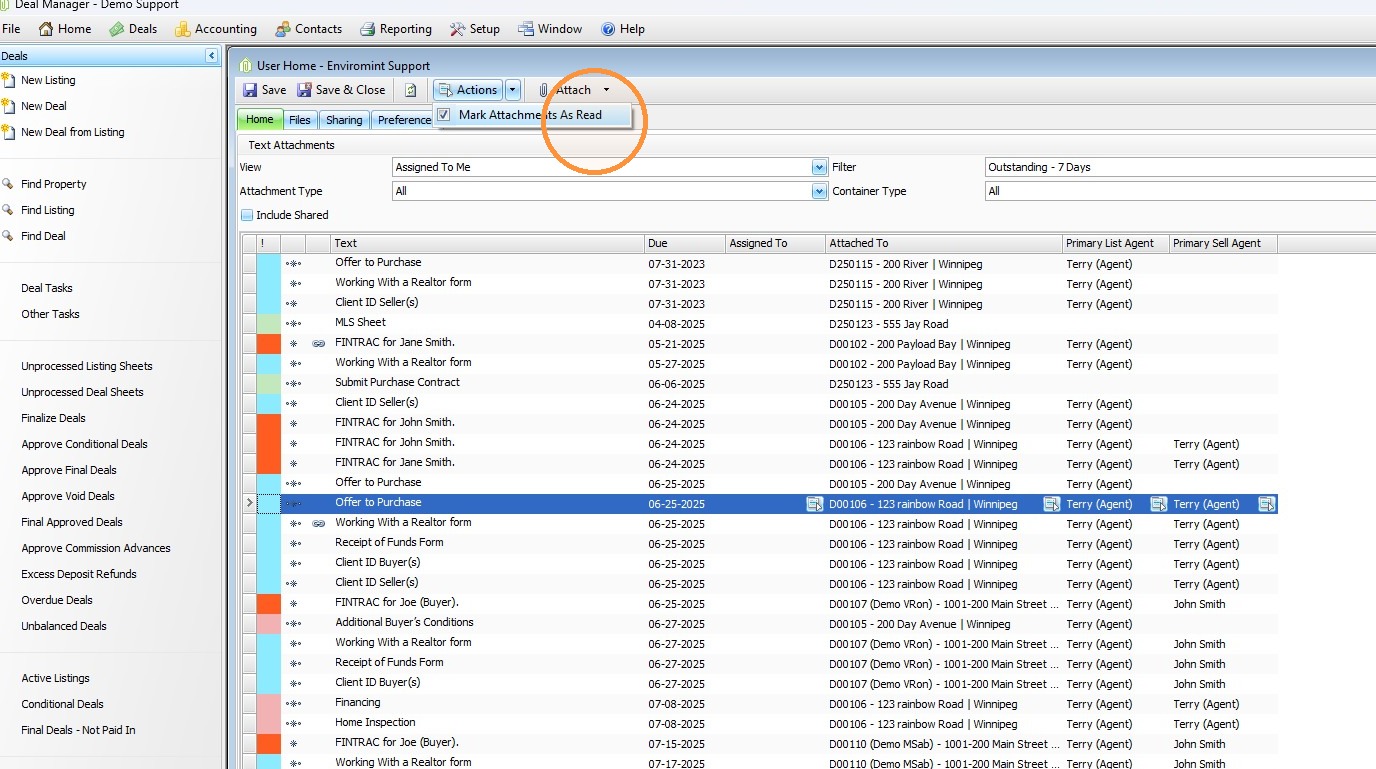
- Click Actions.
- Select Mark All Attachments as Read.
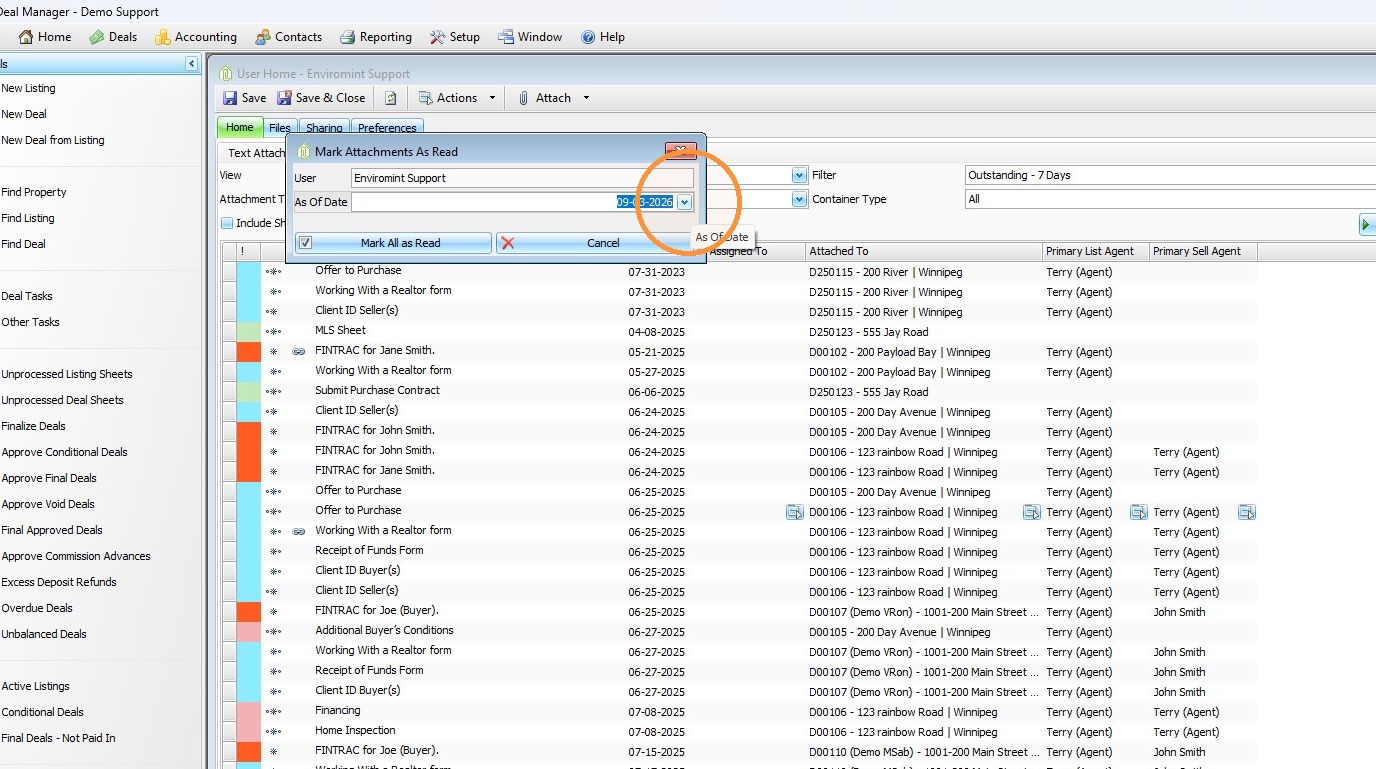
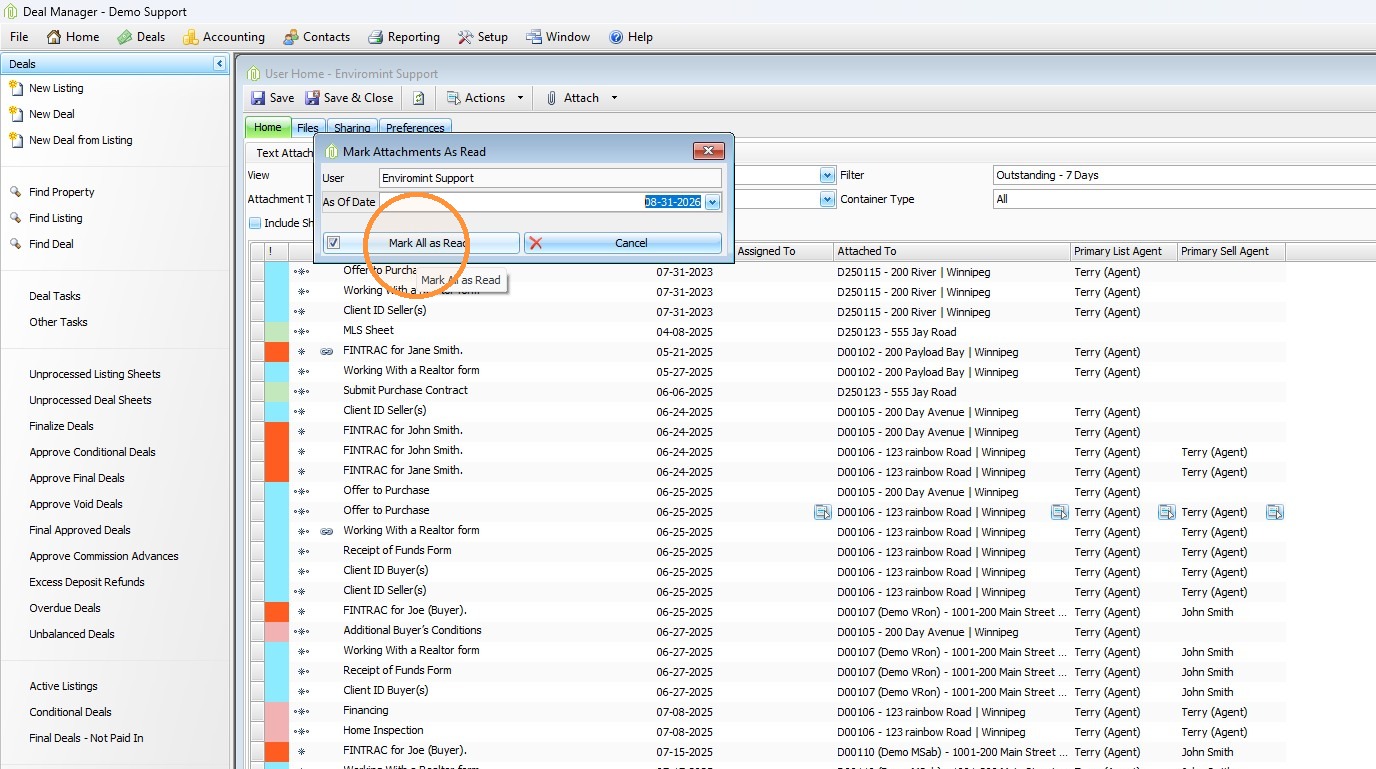
2. A form will appear.
- Verify that your username is displayed.
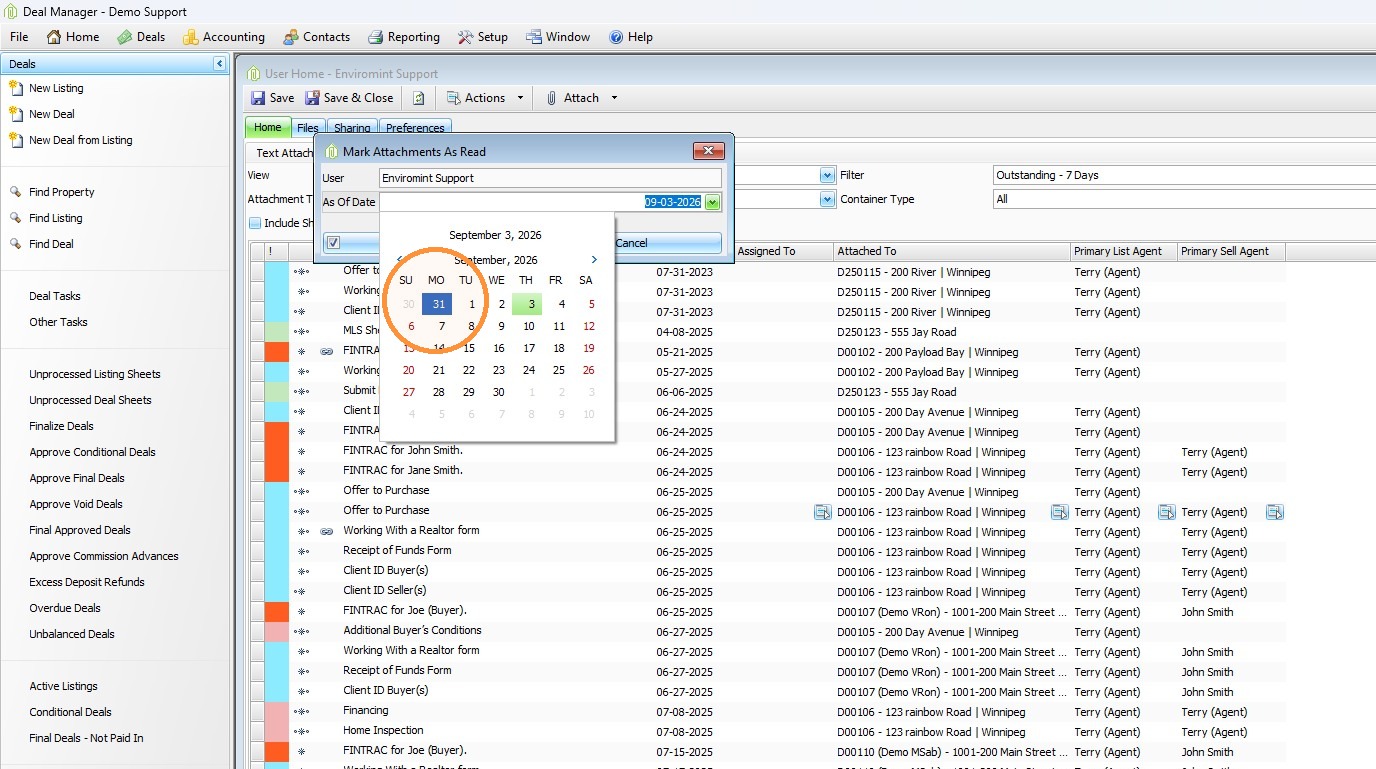
- Change the date to the date you want to use.
- Any attachments dated on or before the selected date will be cleared from your Quick Reports.
- Click Mark All as Read.
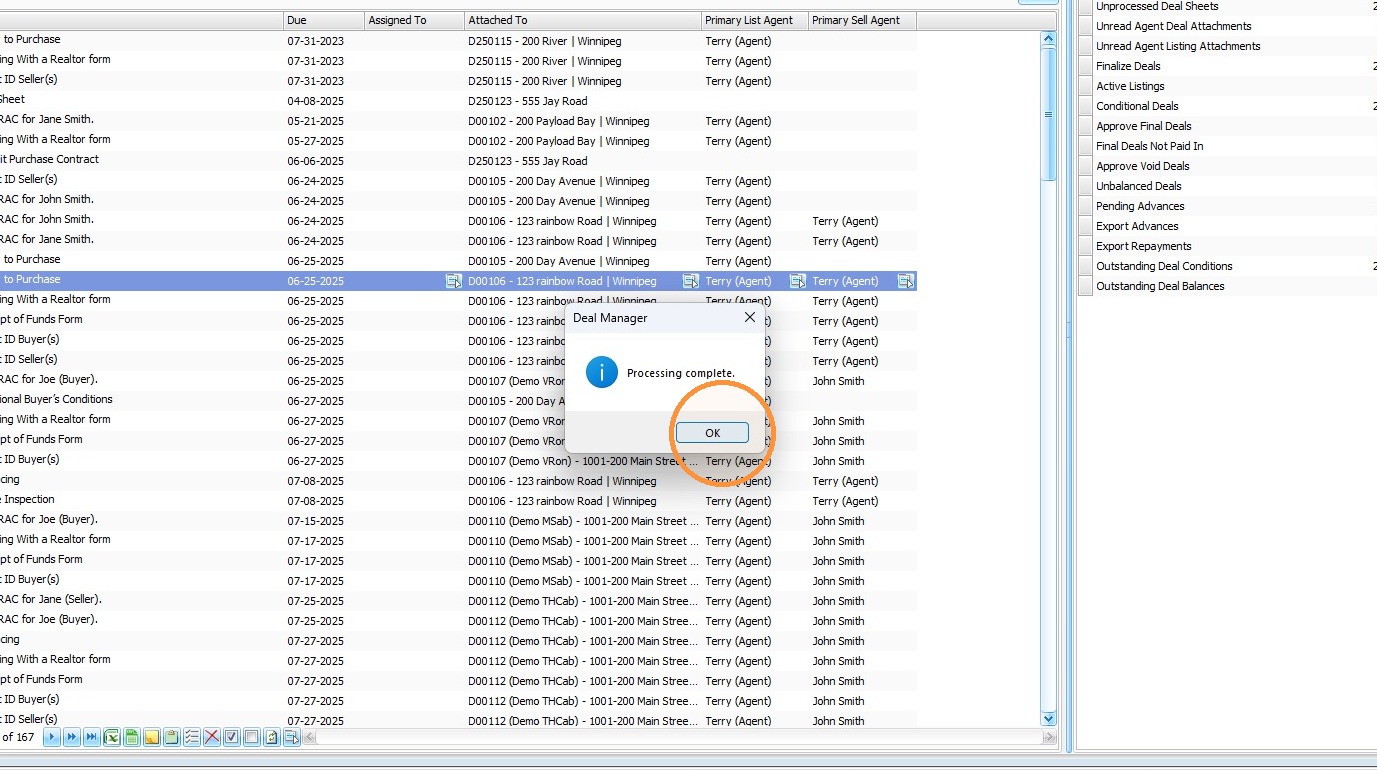
3. When the process finishes
-
Processing Complete message will appear.
- Click OK.
Comments